Multilingual AI Workflows in 2026: How to Keep Global Customer Messages Accurate
A customer may write in Spanish, Hindi, Arabic, or a language your team rarely sees. AI translation can help staff understand the message and draft a reply. But a fluent sentence is not always a faithful one. A missed negative word, a wrong amount, or a shift in tone can change what the business promises. A global workflow needs a way to check meaning before an automated answer reaches a person.
This guide shows how small teams can use multilingual AI for customer messages, internal documents, and routine support while protecting important facts. It covers language selection, approved terms, human review, and testing. The goal is to help people work across languages without pretending every translation is perfect.
Map the Languages You Actually Serve

Start with support tickets, chat logs, or website inquiries. Count the languages you see and the kinds of requests people make. Some users may mix languages in one message. Others may use local words, brand names, or informal spellings. Do not choose a tool based on a long language list alone. Test the pairs and styles your team handles.
Make a simple language map: source language, reply language, common topic, volume, and review owner. A global business may offer English support to everyone while translating incoming text for staff. Another may promise replies in local languages. These are different service commitments and need different checks.
Know when to ask the customer
If the tool cannot detect a language with confidence, ask the person which language they prefer. Do not assume a country tells you what language someone uses. A traveler, migrant, or multilingual customer may choose a language that does not match their location. Give a clear way to switch language at any point.
Create a Small Glossary of Business Terms
Write down the product names, policy terms, legal phrases, and units that must stay consistent. Mark what should never be translated. For example, a product model name may remain unchanged, while a support status should use an approved local phrase. Include sample sentences so a reviewer can judge the term in context.
Microsoft Translator documentation describes modern translation controls, including model choices and ways to guide terminology and style. Google Cloud Translation documentation lists supported languages and related features. These options can help, but a glossary is only useful if the team tests the actual output.
Keep quantities and dates exact
A return window of fourteen days must remain fourteen days. A price should not change currency unless the system has a verified conversion and clear date. A delivery date should not become a promise because a translation softened a condition. Ask reviewers to check numbers, units, names, negatives, and deadlines before they focus on style.
Separate Understanding From Replying
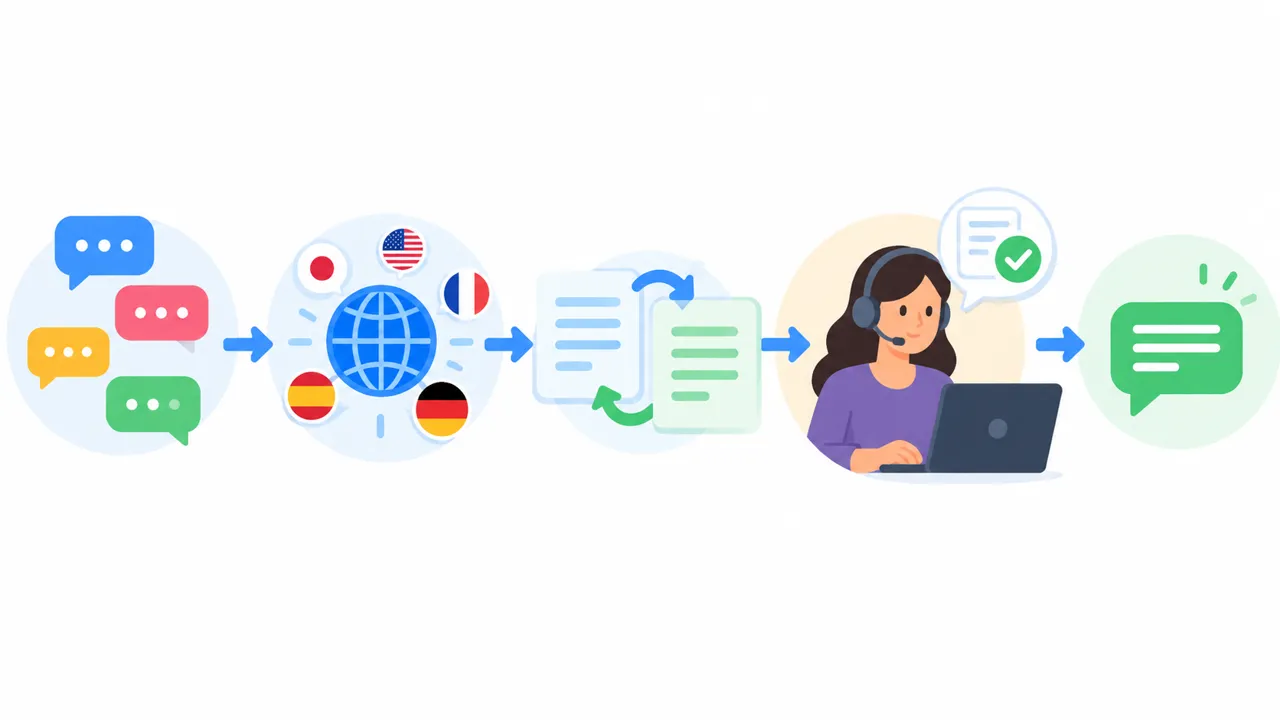
A safe workflow often has two stages. First translate or summarize the customer’s request for a staff member. Then draft a reply based on the approved policy and order record. This makes it easier to spot whether the tool understood the question and whether the reply says what the company intends.
For example, a customer writes that an item has not arrived and asks whether a refund is possible. The first stage should capture the missing delivery and the question. The second stage should look up the actual order and current policy. It must not promise a refund based only on the wording of the customer’s message.
Keep Human Review for High-Stakes Messages

Routine questions about office hours may be safe to answer from a current help page. A complaint about a payment, legal right, safety matter, or sensitive personal issue deserves review by someone who understands the language or can use a trusted interpreter. If the team cannot verify meaning, tell the customer that a person will follow up.
Do not use a single confidence value as permission to send every message. Define high-risk topics in business rules and route them for review. A translation may sound polished while omitting one key condition. Human judgment is especially important when the answer could affect money, access, or health.
Show both versions to the reviewer
Display the original message, the translated meaning, and the proposed reply. Keep any source policy close by. The reviewer should be able to edit the reply and send it back for a second translation if needed. Avoid showing only the AI’s English summary, because it may hide parts of the original request.
Test Meaning, Not Just Grammar
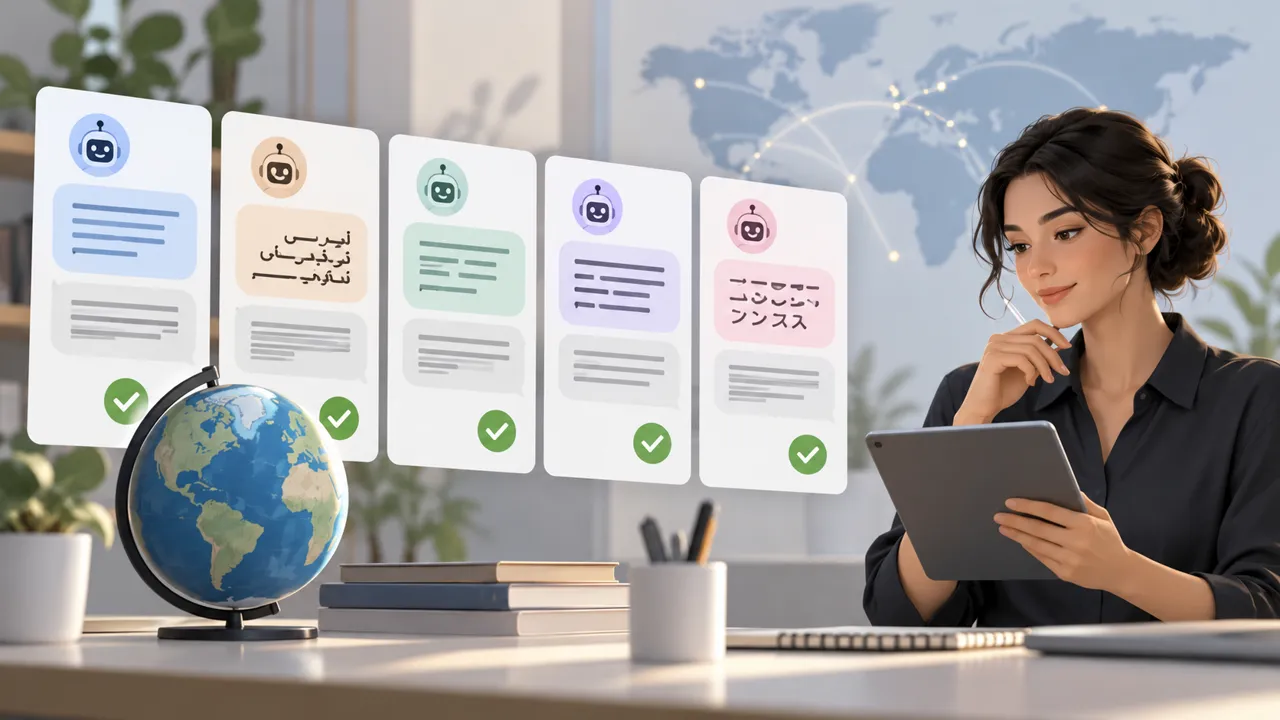
Build a set of sample messages from the languages and topics you serve. Ask fluent reviewers to mark whether the translation preserves the request, dates, amounts, negation, and tone. Include short messages with typos and mixed-language phrases. A textbook sentence may be easy while a real support message is not.
Use back-translation as a clue, not proof. Turning a draft back into its source language can reveal some problems but can also repeat the same error. Where stakes are high, a person who knows the language and the topic should review the original and final message.
Handle Regional Variants Carefully
The same language can have different words across regions. A term that sounds natural in one place may confuse people elsewhere. Use a neutral style when you serve a broad audience, and let customers choose a local variant where appropriate. Check that the service supports the language pair and script you need, not just the name of the language.
Avoid cultural guesses based on a name or location. A good workflow respects the customer’s chosen terms and keeps the message direct. If a phrase has no clear match, explain it in plain language. Do not force a literal translation of jargon that loses its meaning.
Protect Personal Data Across the Workflow
Messages may contain account numbers, addresses, and private stories. Check where translation requests go, what processors handle them, and how long text is retained. Mask information that the language tool does not need. Use approved accounts and restrict who can view translations. A translated copy can carry the same privacy risk as the original.
If a staff member uses a separate free translation site, private customer text may leave approved company systems. Give the team one safe route and clear training. Keep a log of what message was sent, who reviewed it, and the final language, without storing more private text than necessary.
Watch for Changes in Translation Services
Cloud language tools change their supported models, APIs, and options. The Microsoft Translator release notes describe a 2026 update with new model options and translation controls. A workflow that worked last year may behave differently after a service change. Keep sample messages and rerun them after major updates.
Check cost too. Pricing may depend on characters, requests, or other usage units. Count the cost of both incoming translation and outgoing reply drafts. Add reviewer time. If a tool reduces typing but creates long correction work, it may not save as much time as expected.
A Four-Week Pilot
In week one, select two languages and one support topic. Gather safe test messages and write approved terms. In week two, compare the tool’s translations with fluent human reviews. In week three, test the actual reply flow in a controlled environment, with all sends approved. In week four, review errors, time saved, and customer feedback before expanding.
Do not roll out every language on one day. Expand in groups where the team has a reliable review path. If a new language is rare, an on-demand human translator may be safer than an automated system with no one able to check it.
A multilingual quality scorecard
- Meaning preserved in the customer’s request
- Correct numbers, dates, names and conditions
- Approved product and policy terms used
- No unsupported promises in the reply
- High-risk messages routed to people
- Privacy and retention checks passed
Keep serious meaning errors separate from style issues. A reply that is slightly formal may still help. A reply that reverses a refund condition can harm trust. The scorecard should reflect those consequences.
Why Language Inclusion Matters
UNESCO’s global roadmap for multilingualism calls for attention to language quality and access, including languages with fewer digital resources. For businesses, the practical lesson is to test beyond the easiest global languages and avoid assuming one model works equally well for all communities.
A global audience benefits when people can ask questions in a language they understand. That value depends on honest service limits. If you cannot support a language safely, say so and offer a clear alternative rather than letting AI produce an unreviewed answer.
Final Takeaway
Multilingual AI workflows should preserve meaning before they polish wording. Start with real customer languages, build a glossary, keep source facts in view, and use human review for sensitive replies. Test dates, amounts, negatives, and policy terms on real examples. A careful rollout can make global support more accessible without hiding mistakes.
References
UNESCO multilingualism roadmap, Microsoft Translator overview, and Google Cloud Translation language support.