AI Code Review Tools in 2026: How Small Development Teams Should Use Them
A pull request may look simple but still hide a bug. A changed line may affect a login path, a payment calculation, or a data rule in another file. AI code review tools can scan changes and suggest issues before a teammate reads them. They can save time on routine checks. They can also miss a risk or raise a false alarm. The safe question is not whether AI can review code. It is where its feedback helps and where a human still needs to decide.
This guide is for small development teams that ship software often and want to test AI review without lowering standards. It explains how to choose a narrow trial, keep source code private, check comments, and measure whether the tool adds value. The advice works across countries and does not assume one programming language.
Understand the Job You Want Reviewed
First list the work that slows down human review. A team may spend time on missing tests, poor error handling, unclear names, or repeated style comments. Another team may struggle with access rules across services. These are not the same problem. Start with a class of issues that is visible in a pull request and easy to verify.
For example, a two-person team may use AI to check whether each database change has a migration test and a rollback note. That is a good first task because the required evidence is concrete. Asking an assistant to certify all code as secure is not a useful or honest goal.
Keep ownership with the developer
The author should still understand each change. A reviewer should still approve it. If the AI leaves a comment, the author can test the claim and explain the fix. Do not let the tool’s green status replace build checks, unit tests, or peer review. One assistant comment cannot prove a complex feature is safe.
What Changed in Code Review Tools
GitHub Copilot code review can give feedback on pull requests and developer workflows. GitHub added more review controls and clearer comments during 2025 and 2026. Those product changes may improve the experience, but teams should test the current plan and language support rather than rely on old screenshots.
GitLab Duo Code Review is another example of review features embedded in a development platform. A team that already uses a platform may value its access controls and review history more than an extra stand-alone tool. Check the actual permissions, billing terms, and data settings before enabling either service.
Make a Trial With Known Pull Requests
Pick a group of past pull requests that include real bugs, useful fixes, and clean changes. Remove or protect sensitive data according to your code policy. Ask an experienced developer to write down the issue found in each case. The known answer gives you a fair way to judge an AI comment. Include clean pull requests so you can measure noise, not only detection.
Run the tool against the same set and record what it finds. A good result points to a specific line or behavior and explains a testable risk. A weak result uses vague language such as this may cause an issue without saying what should happen. Do not award credit for a comment merely because it sounds technical.
Score useful findings, misses, and noise
Count true issues found, important issues missed, and comments that were wrong or not useful. Add the time developers spend checking each comment. If the tool finds two small style matters but sends twenty wrong warnings, it may cost more time than it saves. If it catches a rare serious auth flaw, that is valuable, but one good catch does not prove broad coverage.
Separate Security Review From General Quality
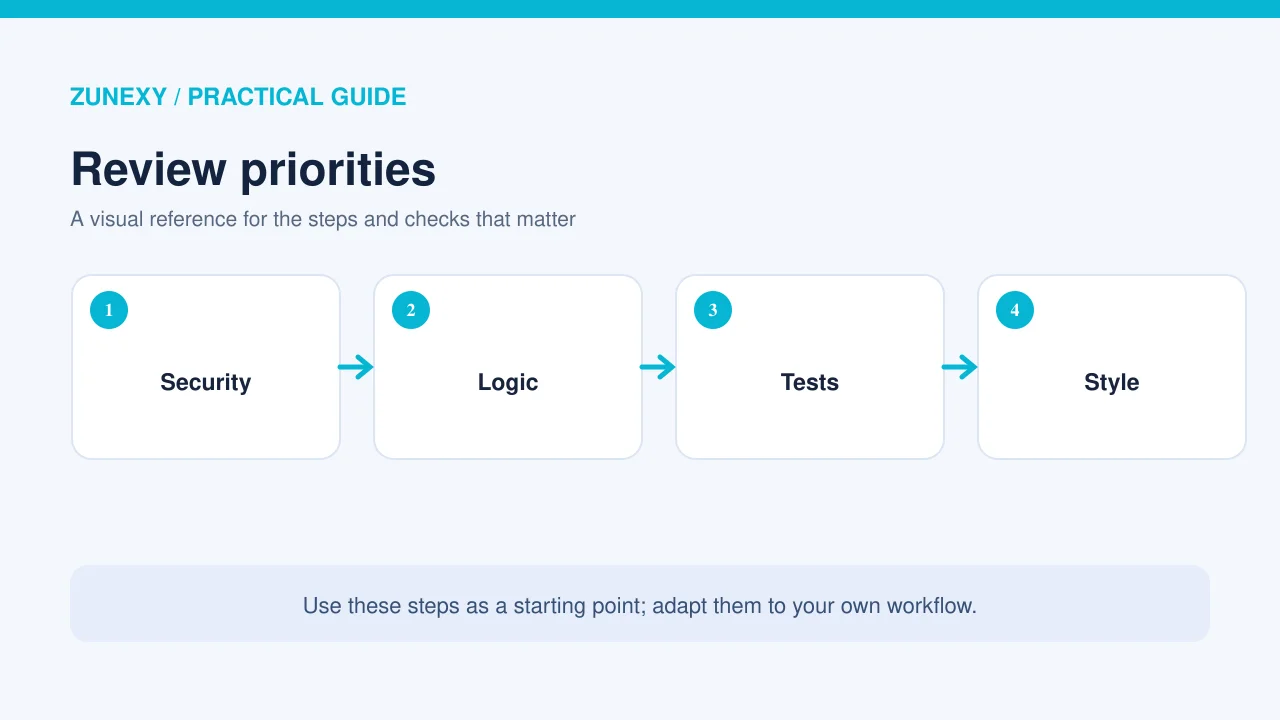
A tool can help spot missing input validation, hard-coded secrets, or unsafe query code. It may still miss a flaw that depends on business context. For example, an endpoint can use a safe SQL query but return a record to the wrong user. A human must understand the access rule and the flow beyond the changed lines.
The OWASP guidance on secure coding with AI warns against allowing AI feedback to replace human review. Treat generated suggestions as leads for investigation. Keep static analysis, dependency scanning, secrets checks, and tests in the pipeline where they fit.
Ask for a reason and a test
When AI flags a bug, ask the author to explain how it fails and how to reproduce it. A good fix often comes with a test. If the suggestion changes security behavior, request a review by the person responsible for that area. A quick code edit that silences a comment may hide the deeper issue.
Protect Source Code and Secrets
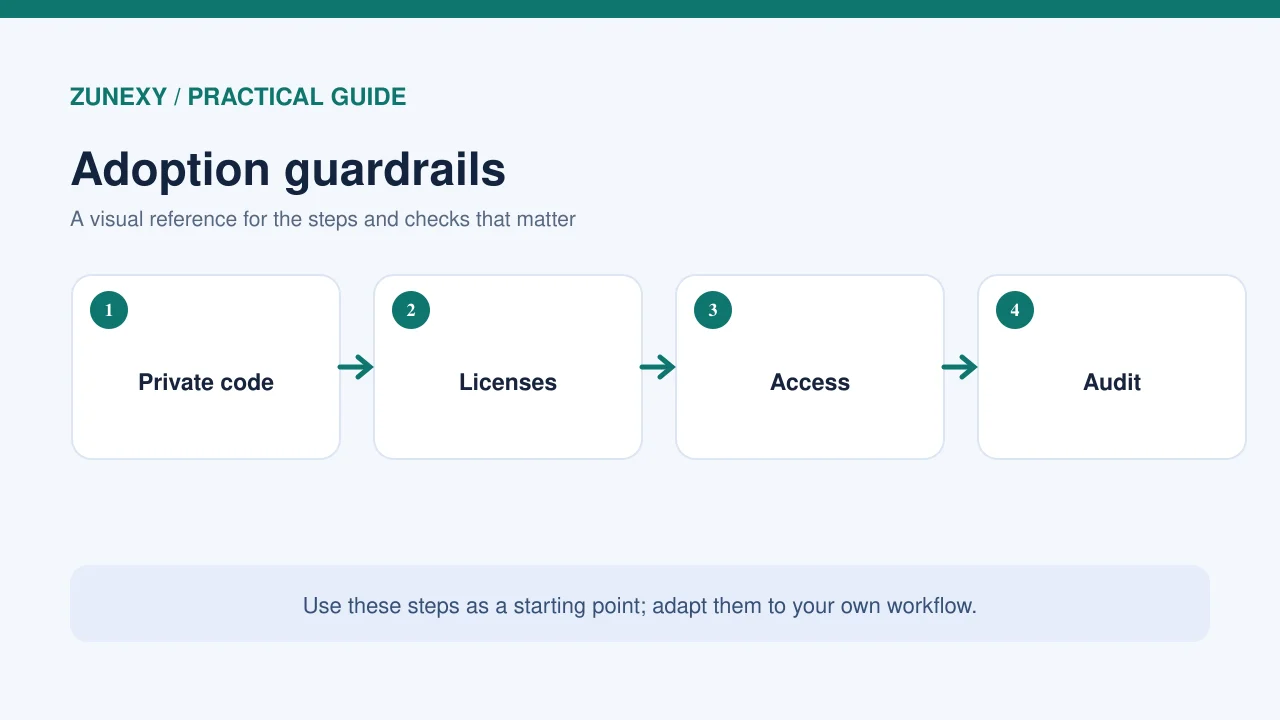
Read the vendor’s data and retention terms. Check whether code is sent to external services, how it is stored, and who can view the review history. Some repositories contain trade secrets or customer code covered by contracts. A team may need approval before sending those files to a new processor.
Do not place live secrets in code to make a review tool work. Use secret scanners and remove credentials from history if they appear. Keep permissions narrow: a review bot may need read access to a pull request but not broad power to merge, modify repository settings, or create releases. Grant write functions only where there is a clear business need.
Review Suggestions Before Applying Them

An AI suggestion can change more than the author intended. It may alter error handling, remove a needed check, or simplify logic that handles a rare case. Read the full diff. Run the tests. Check the affected behavior by hand when the risk is high. Keep a small, clear commit so the change can be reviewed and reverted.
For a finance app, a change to rounding should be tested against expected calculations in several currencies. For a login service, a change to session checks needs cases for expired and revoked sessions. An AI comment may point to an issue, but the team must choose the correct business rule.
Reject unclear advice without guilt
A reviewer can mark a suggestion as incorrect or not relevant after checking it. That is part of a healthy process. Keep a brief reason for important decisions so the next reviewer understands why a warning was not applied. The goal is good software, not a dashboard with every comment resolved as a fix.
Fit AI Into the Existing Review Flow
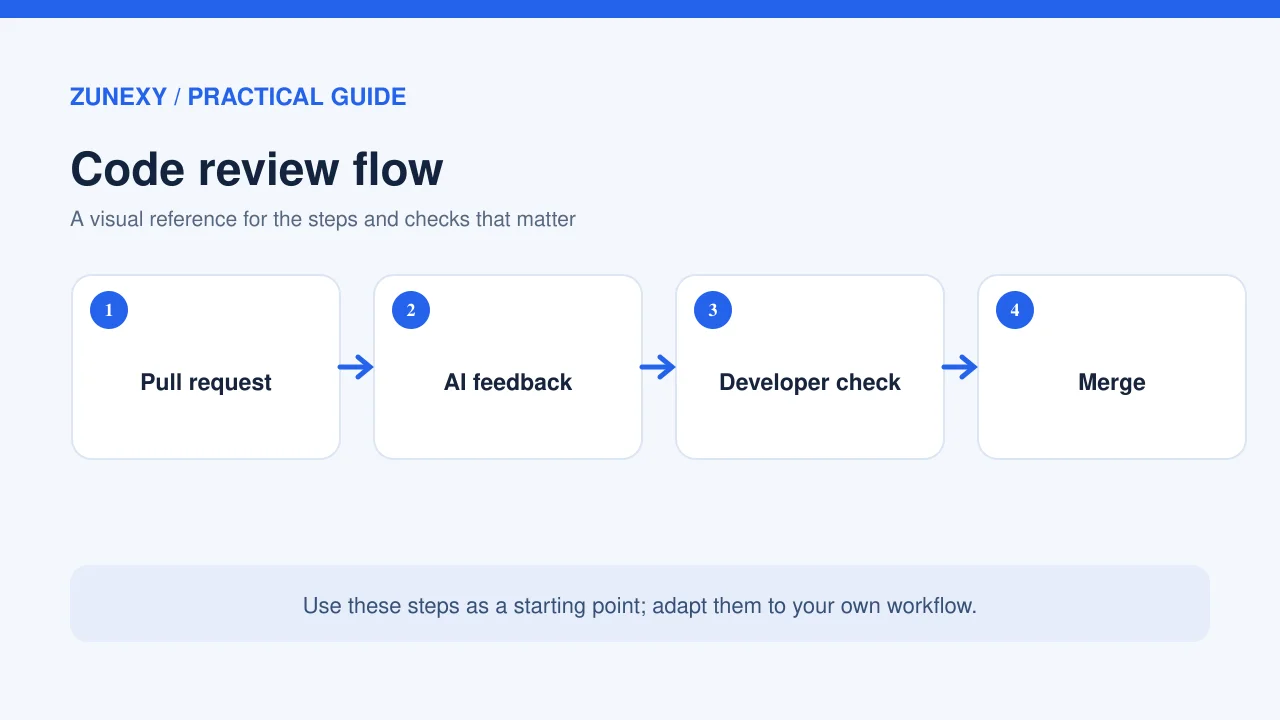
Place AI feedback early, after automated tests and before a human reviewer spends time on the change. Set a timeout so a slow service does not hold up all development. If the AI service is down, the team should still know how to review and merge through its normal rules. An optional helper should not become a single point of failure.
Choose which branches and projects may use the tool. A small private experiment repo may be a good start. Expand only after the team knows how much noise it adds and whether developers trust the useful comments. Reviewers should see which findings came from the AI and which came from static checks or people.
Measure the Impact After Four Weeks
Track time to first useful review, rework caused by wrong suggestions, accepted issues with verified fixes, and bugs found after merge. Ask developers whether AI comments help them think or just add alerts. Compare the pilot with similar work before the tool was enabled. A faster merge rate is not a success if defects rise.
Do not compare teams with very different codebases using one simple number. A small documentation change and a complex payment feature need different levels of review. Look at the type of work and the risk. For a global team, also check whether AI feedback is clear enough for developers who use English as a second language.
A Small-Team Checklist
- Pick one class of code issues to test
- Build a set of known buggy and clean pull requests
- Score true findings, misses and false alarms
- Keep human approval and automated tests in place
- Check vendor code retention and repository permissions
- Verify each suggested fix with a test
- Record why serious warnings were accepted or rejected
- Review time saved after four weeks
This checklist helps a team make a grounded choice. It does not turn AI review into a formal security audit. High-risk systems still need domain experts, threat modeling, and security tests suited to the work.
Common Mistakes to Avoid
Do not ask AI to approve its own generated code without another control. Do not measure value by the number of comments. Do not trust a confident explanation without reproducing the issue. And do not give a review bot write access just to make setup easy. Each of these shortcuts can make the workflow look efficient while increasing hidden risk.
A practical team habit is to keep a short record of the most useful AI findings and the most misleading ones. Review those examples each month. They can guide tool settings and help new staff learn what deserves extra attention. Over time, the team gains its own evidence of where AI is useful.
Final Takeaway
AI code review can be a helpful second set of eyes, especially for repeatable checks and early feedback. It is not a replacement for testing, source-code owners, or a human reviewer who understands the product. Start with known cases, measure useful findings and noise, and protect code access. Keep the tool only when it improves the actual review process.
References
GitHub Copilot code review documentation, GitLab Duo Code Review documentation, and OWASP secure coding with AI guidance.